Likhith · April 14, 2026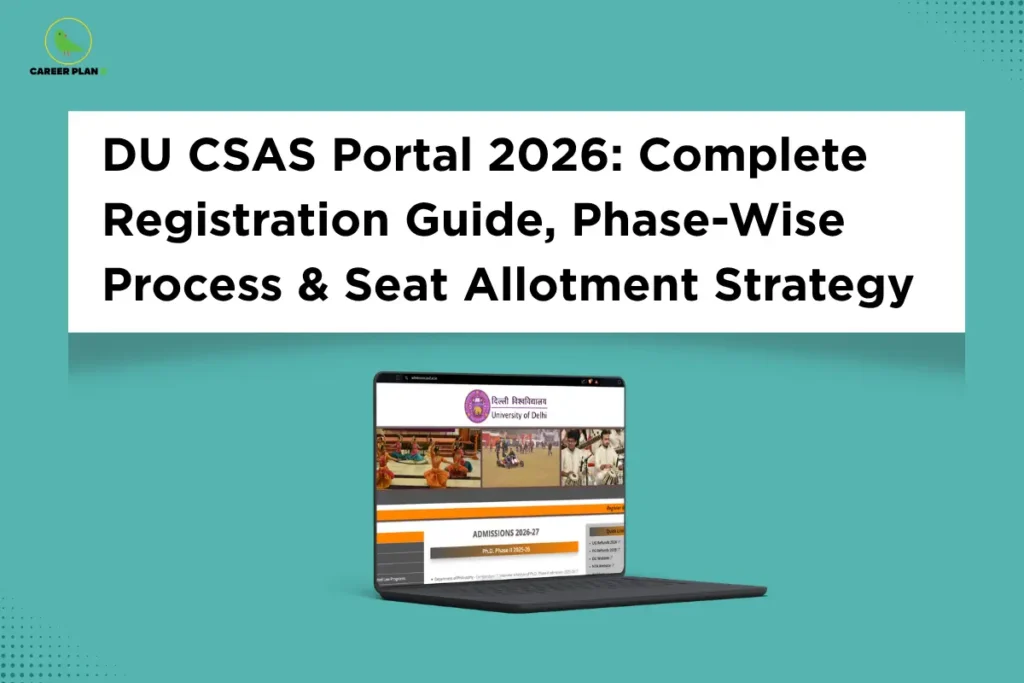
Introduction
Every year, lakhs of students sit with their CUET scorecards, hearts pounding, wondering — “What do I do next?” Getting a good score is only half the battle. The other half? Navigating the DU CSAS portal 2026 correctly — because one missed step, one wrong click, or one overlooked deadline can cost you an entire year. The Common Seat Allocation System, launched by Delhi University, is the centralized gateway that decides which student goes to which college and which program — entirely based on your CUET UG 2026 score and the preferences you fill in.
This guide is your end-to-end roadmap. Whether you are a student who just appeared for CUET, someone who attempted DU admission last year and wants to get it right this time — this blog breaks down the DU CSAS portal 2026 into simple, actionable steps. We cover everything: from first-time CSAS registration and document uploads, to filling 200+ preferences strategically, to understanding the all-important Freeze vs Upgrade decision that can either land you in your dream college — or leave you starting over.
What Is the DU CSAS Portal?
Before 2022, Delhi University admissions ran on a cut-off percentage system — colleges released cut-off marks based on Class 12 boards, and students had to physically visit colleges, often standing in long queues, to secure a seat. It was chaotic, opaque, and often unfair to students from different boards.
The Common Seat Allocation System (CSAS) changed all of that. Launched by the University of Delhi, it is a fully online, centralised admission platform available at admission.uod.ac.in that ensures fair and transparent selection via CUET UG scores. Seats are allocated based on:
- Your CUET UG 2026 score (not Class 12 percentage)
- Your program + college preferences
- Seat availability across DU’s 91 constituent colleges
- Category and reservation norms as per Government of India guidelines
Think of CSAS like a sophisticated matchmaking system. You tell it your preferences in order of priority. It takes your merit score, checks available seats, and tries to give you the best match on your list. The beauty — and the risk — is that the order in which you fill your preferences matters enormously.
For Latest Information
When Does the DU CSAS Portal 2026 Open?
This is one of the most common questions students ask every season. Here is what is officially confirmed for 2026.
Key Timeline at a Glance:
| Event | Tentative Date |
|---|---|
| CUET UG 2026 Exam | May 11 – May 31, 2026 |
| CSAS Portal Opens (Phase 1) | Third week of May / June 2026 |
| CUET UG 2026 Results | First week of July 2026 |
| Phase 2: Preference Filling | After CUET results declared |
| Phase 3: Seat Allotment Round 1 | July 2026 (tentative) |
| Spot Round (if seats remain) | August 2026 (tentative) |
Important: Exact dates are released exclusively on the official portal at ugadmission.uod.ac.in. Check it regularly — all communications from DU are made exclusively through the dashboard and registered email.
Phase 1: CSAS Registration — Most Critical Step
1. Who Can Register?
Admissions to all Undergraduate Programs at the University of Delhi are based on CUET UG 2026 scores, except for SOL, NCWEB, and Foreign Nationals. Gap year candidates are eligible but must appear in CUET 2026, and there is no age bar except for regulatory body requirements. The entire process is digital — there is no offline mode.
2. Step-by-Step CSAS Registration Process
Here are the steps to register on the DU CSAS portal 2026:
- Visit the official DU CSAS portal at ugadmission.uod.ac.in
- Click on the “New Registration” tab on the homepage
- Enter your CUET UG 2026 Application Number and Date of Birth. The system will auto-fetch your personal and academic details from the CUET database
- Verify all auto-fetched details carefully. Upload required documents, including category certificates (if applicable), photograph, and signature
- Pay the applicable CSAS registration fee online through the payment gateway (credit card, debit card, net banking, or UPI)
- Save your login credentials — your application number/email and password. Registration is complete once payment is confirmed.
One thing students often miss: do not close the browser mid-payment. Wait for the confirmation screen and note your transaction ID. If payment is deducted but registration is not confirmed, wait 24–48 hours before contacting the helpdesk.
3. Documents You Must Keep Ready Before You Begin
Keep scanned digital copies of all these ready before you open the form. Low-quality scans or uploading the wrong document in the wrong field can cause verification failures — use clear, labeled files and check the format and size before uploading.
- Class 10 Board Certificate (Date of Birth proof)
- Class 12 Mark Sheet and Pass Certificate
- CUET UG 2026 Application Number / Admit Card
- Recent passport-size photograph (clear background)
- Scanned signature
- Category Certificate — SC/ST/OBC-NCL/EWS (if applicable)
- Valid Government-issued ID Proof (Aadhaar, PAN, Passport)
- Sports / ECA Certificates (only if applying under supernumerary quota)
- PwBD Certificate (if applicable)
Even a small spelling mistake can create a problem at the time of verification. Arrange all papers early and keep them safe. Use the same name spelling across all documents without exception.
4. CSAS Registration Fee 2026
The DU UG application fee is ₹250 for UR/OBC-NCL/EWS students and ₹100 for SC/ST/PwBD candidates. Additionally:
| Category | Fee |
|---|---|
| UR / OBC-NCL / EWS | ₹250 |
| SC / ST / PwBD | ₹100 |
| BFA / B.Sc (PE, HE & S) | Additional ₹400 |
| ECA / Sports Supernumerary Quota (per quota) | Additional ₹100 |
The DU application fee is accepted online only through credit card, debit card, net banking, or UPI. There is no offline or cash mode for fee payment. All fees are non-refundable.
Phase 2: Program + College Preferences
This is the phase that most students underestimate. Registration was the formality. Phase 2 is where your admission fate is actually decided.
Once CUET results are declared, you log back in and fill your Program + College combination preferences. The window for entering choice preferences opens in the second phase of the CUET DU CSAS 2026 admission process, after CUET results are declared. The system allows 200+ combinations — which is both an opportunity and a trap if you approach it carelessly.
1. How to Fill Preferences Wisely: The Dream-to-Safe Strategy
Think of your preference list like a prioritized wish list, not a random selection. Here is the approach that works:
- Top of your list (Preferences 1–30): Dream combinations Put your most desired Program + College combinations first. If you want BA (Hons) Economics at SRCC or B.Com (Hons) at Hindu College, list it at the top. The system will only allocate it if your CUET score qualifies.
- Middle of your list (Preferences 31–100): Realistic combinations These are colleges and programs where your CUET score has a genuine, data-backed chance. Look at previous years’ closing ranks as a guide.
- Bottom of your list (Preferences 101–200+): Safe combinations These are your safety net — combinations where admission is almost certain given your score. Do not leave this section half-filled.
A crucial rule: Every Program + College combination must align with your Class 12 subjects. DU strictly enforces subject mapping in 2026 — only those CUET UG language and domain-specific papers in which the candidate has passed Class XII will be considered for programme eligibility. Invalid combinations will be rejected outright.
2. What Are Simulated Ranks — And How Should You Use Them?
Before the first seat allotment round, DU releases Simulated Ranks. Simulated Ranks are tentative, indicative ranks released by DU before the first official seat allocation list is published. They are generated based on students’ CUET UG 2026 scores, the program-college preferences submitted, category, and seat availability. After these ranks are declared, students are given a short window — typically 1–2 days — to re-order their preferences.
Use this window like a second chance. If simulated ranks show you are unlikely to get your top 10 choices, move more achievable options higher. This is the most important recalibration window in the entire process.
3. Common Mistakes Students Make in Phase 2
The most common errors include: submitting incorrect personal or academic details without verifying auto-fetched data; not completing fee payment (registration is incomplete without confirmed payment); filling preferences without checking programme-specific eligibility; arranging college-programme preferences carelessly since the order directly determines the seat allocation outcome; missing the preference-locking deadline after which no changes are possible; and not checking the dashboard regularly despite all DU communications being made exclusively through the dashboard and registered email.
Phase 3: Seat Allotment — How the Rounds Work
The moment you have been waiting for. Once preferences are locked, DU’s CSAS engine runs its allocation algorithm and releases results in multiple rounds.
1. How Does the Allocation Algorithm Work?
The system evaluates:
- Your CUET UG 2026 score
- Your preference order (highest preference first)
- Available seats in that Program + College combination
- Your category (UR, OBC-NCL, SC, ST, EWS, PwBD)
- Programme-specific eligibility criteria
The university releases DU CSAS Seat Allocation Lists for all categories, and candidates must accept the allocated seat through their dashboard. The algorithm works strictly top-down through your preference list — it will not skip to your 50th preference if your 5th preference has a vacant seat.
2. Round 1 vs Round 2 vs Round 3: What Changes Each Time?
| Aspect | Round 1 | Round 2 | Round 3 |
|---|---|---|---|
| Who participates | All registered candidates | Those who upgraded or didn’t get Round 1 | Those still unallocated or upgraded from Round 2 |
| Seat availability | Maximum seats available | Remaining + vacated seats | Final remaining seats |
| Upgrade option | Available after accepting | Available after accepting | Limited availability |
| Refund on withdrawal | Full refund (Round 1 exit) | Partial deduction may apply | Further deductions |
If a candidate does not accept the seat within the specified period, or does not pay the admission fee within the allotted time, the seat is cancelled. If the candidate’s certificates or documents are deemed unacceptable, or if the applicant does not meet eligibility requirements, the seat may also be cancelled.
3. The Spot Round — Your Last Chance
After the completion of regular CSAS rounds, if seats are vacant, the authorities will announce spot admission. Only candidates who applied for DU CSAS UG 2026 and are not admitted to any program or college will be able to participate. There will be no option of upgrading or withdrawing in spot admission — the seat allotted is final. It will be mandatory for candidates to take admission to the seat allocated, failing which their seat will be forfeited and the candidate’s eligibility for DU admission will not be considered.
The Freeze vs Upgrade Decision
You have been allotted a seat. Now what? This is where many students either secure their future — or gamble it away. The portal gives you two options:
1. When to “Accept and Freeze”
The “freeze” option in seat allocation for CSAS (DU) is to confirm your admission choice to the allocated college and course. If you are happy with the assigned college and course, you can freeze the request through your dashboard. Once you select this option, you will not be considered for upgradation of choice in further rounds of CSAS. You should select this option only if you are satisfied with the allocated seat and want to take admission to this course.
Choose Freeze when:
- You got your top 1–10 preference on your list
- The college and program match your career goals
- You are not willing to risk losing this seat for an uncertain upgrade
2. When to “Accept and Upgrade”
Choosing “Upgrade” means that the candidate consents to consideration of an offer of admission to a Program + College Combination of higher preference in the subsequent round. The current admitted seat will be auto-cancelled if a new preference is allocated. Candidates who get upgraded must accept the upgraded seat and complete the admission procedures. If a candidate does not take any activity on the upgraded seat, it will by default be considered cancelled, and the candidate will be out of CSAS UG 2026.
Choose Upgrade when:
- Your allotted seat is significantly lower on your preference list
- You have a realistic chance of securing a higher preference
- You understand and accept the risk involved
Quick Decision Framework
| Situation | Recommended Action |
|---|---|
| Got Top 1–10 preference | Freeze |
| Got preference 11–30, higher ones look achievable | Upgrade |
| Got preference 30+, far from dream college | Upgrade (evaluate carefully) |
| Round 3 allotment | Freeze — no further upgrades likely |
| Spot Round allotment | Accept — seat is final, no other option |
Auto-freeze means the candidate opts to retain the current allotment and withdraws from further rounds. Candidates should actively choose one option on their dashboard within the deadline. Never assume inaction is safe — it almost always works against you.
Document Verification
Once you accept your seat, the college verifies your uploaded documents online. The college verifies subject mapping validity, category certificate authenticity, and CUET application details versus uploaded documents. Once the student accepts the provisionally allocated seat, the concerned college will verify the eligibility and the documents uploaded by the candidate online. The college has the option to Accept or Reject the admission of the student based on verification.
As per official DU guidelines, the names of applicants claiming reservation under SC/ST/OBC/EWS/CW/KM must match with the names that appear on their corresponding School Board qualifying certificates; similarly their parents’ names must match in both sets of certificates.
Practical tips for smooth verification:
- Scan all documents in colour
- Keep file sizes within the specified limits (typically 50KB–500KB per document)
- Avoid phone camera photos of printed documents — use a proper scanner
- Double-check that category certificate names match your Class 12 documents letter-for-letter
Fee Payment Deadlines
After document verification, you must pay the college admission fee within the specified deadline. DU warns that non-submission of documents or non-payment of fees within the given time can lead to loss of admission. No extensions are given. Mark these deadlines in your calendar the moment they are announced.
Refund Policy at a Glance:
- Exit after Round 1 (before accepting): Full free exit, no deductions
- A deduction in refundable payment will be applied if the student does not accept the seat after the second counselling round.
- Spot Round: No refund policy — seat acceptance is final
Troubleshooting Common CSAS Portal Errors
Government portals during peak admission periods are rarely smooth. Here are the most common issues and how to handle them:
- “Details not matching” during registration: Your CUET application number or date of birth was entered incorrectly. Cross-check your CUET admit card and re-enter exactly as it appears there.
- Payment deducted but registration not confirmed: Wait 24–48 hours. Do not make a second payment. Screenshot your payment confirmation and contact DU’s official admission helpdesk.
- Document upload failing: Check the file format (usually PDF or JPEG) and file size. Compress if too large. Use Chrome or Firefox — older browsers sometimes fail on file uploads.
- Simulated rank not generated: Your subject mapping may have an error, or your CUET score may not meet the minimum threshold for any preference you filled. Review all preferences against official programme eligibility criteria in the UG Bulletin of Information 2026-27.
- Dashboard not updating after seat allotment: Refresh the page. If it persists, email DU admission support immediately — every hour inside the acceptance window counts.
How Career Plan B Helps
Career Plan B supports students in navigating the DU CSAS Portal 2026 with strategic, end-to-end guidance:
- Personalized Career Counselling: Helps students understand subject mapping rules and choose the right course based on their strengths, interests, and goals.
- Psycheintel & Career Assessment Tools: Enables smarter preference list building by identifying aptitude patterns and suitable program options.
- Admission Guidance & CSAS Strategy: Assists in analyzing simulated ranks, optimizing choices, and making the right Freeze vs Upgrade decisions.
- Deadline Tracking & Career Roadmapping: Ensures students stay on track with timelines while making informed decisions that secure their seat and align with long-term goals.
For Latest Information
Frequently Asked Questions (FAQs)
Q1. Can I change my program-college preferences after locking them in Phase 2?
No. You cannot change preferences after the final locking deadline. If you accept a Round 1 seat, you can choose “Upgrade,” which uses your saved higher preferences. Fill choices carefully the first time.
Q2. I got a seat in Round 1 but want a better college. Is it safe to upgrade?
It depends on your higher preferences. If you select “Upgrade,” the system cancels your current seat if it allots a new one. You must accept the upgraded seat or lose admission and exit CSAS UG 2026.
Q3. I belong to a reserved category. Do I fill the same CSAS form?
Yes. All candidates use the same CSAS portal. Upload a valid category certificate and ensure all details match your Class 12 certificate.
Q4. Can minority college preferences like St. Stephen’s be filled on the same CSAS form?
Yes. You can include minority colleges. They usually consider 85% CUET scores and 15% internal criteria, so account for their additional selection process.
Q5. Is there an official helpline for CSAS 2026 technical issues?
Yes. DU provides an official helpdesk on its portal. Keep your email and mobile active for updates and avoid unofficial third parties.
Conclusion
Getting into your dream Delhi University college is absolutely within reach — but it takes more than a good CUET score. The DU CSAS portal 2026 rewards students who are prepared, strategic, and on top of every deadline. Know when to fill what, understand the difference between freezing and upgrading, and keep your documents verified and ready long before you need them. Every phase in this process matters, and every deadline is final — there are no second chances once a window closes.
So start early, stay anchored to the official DU portal for updates, and do not hesitate to seek expert guidance if any step feels unclear. Your college journey is just beginning — make sure it starts on the right foot, with the right decisions.